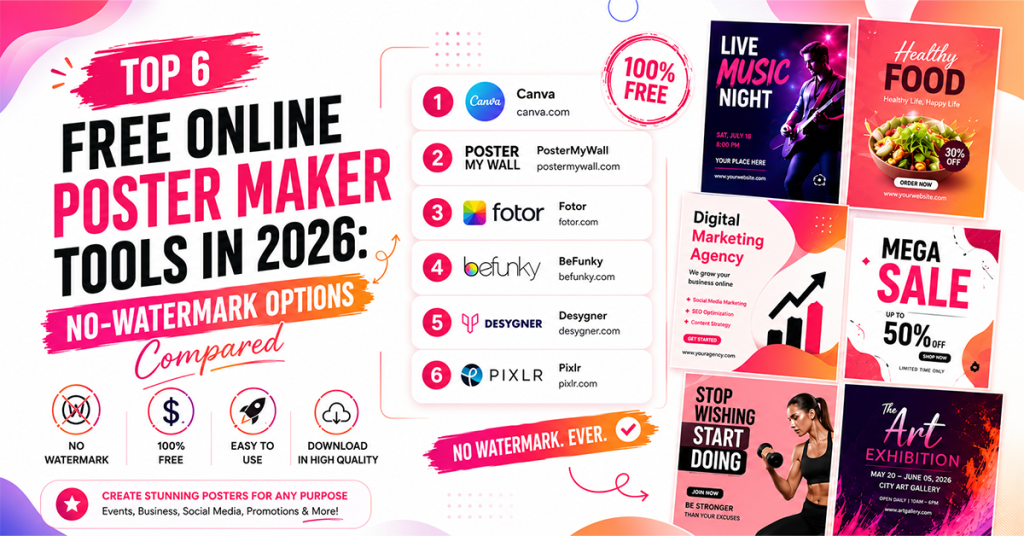
Top 6 Free Online Poster Maker Tools in 2026: No-Watermark Options Compared
The best way to make a professional poster without hiring a designer is a free poster maker online. It is a browser-based editor with pre-created templates, drag-and-drop features, and quick downloads. This list rates the best 6 poster makers for 2026 that are completely free. It also reveals precisely which ones allow you to export without a watermark and flags the ones that silently add one. Researchers at MIT have highlighted that the human brain can recognize a picture in as little time as 13 milliseconds. This research demonstrates that the crisp poster lands before one word is read.
What Is A Free Online Poster Maker?
A free poster maker online is a web-based design tool. It allows individuals to produce print or screen-ready posters from templates. No software installation required and nothing to pay up front. It takes over the previous Photoshop + stock-photo subscription method.
A modern poster design tool bundles templates, fonts, photos, and export into one browser tab. The catch to watch is the word "free": some tools are free to design but charge to download, and others stamp a watermark on anything you export.
The six below are sorted with the genuinely watermark-free options first.
The 6 Best Free Online Poster Makers In 2026
Exports without watermarks on a free plan are available from Poster App Lab, Canva (when using free elements) and VistaCreate. PosterMyWall, Fotor, and Adobe Express may add watermarks when premium content is used or when exporting certain free designs.
1. Poster App Lab — Best overall free poster maker
Poster App Lab is an AI graphic design platform that provides free, high-resolution, watermark-free outputs. You may describe a poster or choose from 10,000+ templates (2,400+ for posters alone). Then simply edit it on a layered drag-and-drop canvas and download it print-ready. This tool does not have a paywall at the end.
Key features
- AI generator that turns a text prompt into a finished, editable layout only (in app).
- Drag-and-drop editor with layers, smart alignment, text tools, as well as filters.
- Auto-resize to reshape one design for Instagram, Facebook, YouTube, and LinkedIn.
- Brand Kit to use your colors, fonts, and logo in just one click
Free plan & watermark: Export to PNG, JPG, PDF, or SVG with print-ready 300 DPI for free, with no watermark.
Pricing: Free. It runs on the web, iOS, and Android.
Best for: Professionals and individuals who require print-ready posters with AI and a clean, watermark-free download. 50,000+ creators have made 500,000+ designs on this tool and given a 4.8/5 rating.
2. Canva — Best for template variety and collaboration
Canva is the extensively used option. It has approximately 200M+ monthly users and 1.6M+ free templates. Its free plan exports your own designs without any watermark and supports real-time team collaboration. Canva also offers the Magic Studio suite, which adds AI on top.
Key features
- 1.6M+ templates and 2M+ free photos, icons, and graphics
- Magic Studio AI: Magic Media (text-to-image), Magic Resize, Background Remover
- Real-time collaboration and comments
- Canva Print for physical delivery
Free plan & watermark: Designs you build yourself export watermark-free; however, when you use premium (paid) elements without subscribing, watermarks appear. Furthermore, free AI use is capped each month.
Pricing: Free and paid version. Canva Pro costs approx. $15/month. It unlocks premium elements.
Best for: Individuals who need the largest template and asset library.
3. VistaCreate — Best free plan for animated posters
Formerly known as Crello and now part of the Vista/VistaPrint family. It has one of the most complete free tiers available. Its key attraction is unlimited, watermark-free downloads on the free Starter plan. It also includes a built-in animation editor, which most competitors charge extra for.
Key features
- 100,000+ templates and 1M+ royalty-free photos, videos, and vectors
- Animation editor for moving text, stickers, and backgrounds
- AI image generator and resize tool
- Direct scheduling to Facebook, Instagram, and Pinterest
Free plan & watermark: You can craft unlimited designs and download them without any watermark on the free beginner plan.
Pricing: Free and pro version. The paid version is around $10/month (billed annually) and adds a library of over 70M assets and team access permission for up to 10 members.
Best for: It is a great option for budget-conscious creators. This tool enables them to create animated posts and offer a genuinely usable free plan.
4. Adobe Express — Best for Adobe ecosystem and Firefly AI
Adobe Express brings Adobe's design power to a simplified, template-driven editor, with Firefly AI for commercially safe text-to-image generation and access to Adobe Fonts.
Key features
- 100,000+ professionally designed free templates
- Firefly AI: text-to-image and generative fill
- Background removal, smart resize, and Brand Kit
- Content scheduler for social posting
Free plan & watermark: The free plan of Adobe Express adds a watermark to premium content. It also limits generative AI to around 25 credits per month. Therefore, a fully watermark-free export typically requires a premium plan.
Pricing: Both free and premium accounts are available. The paid one is for $9.99/month. It offers access to more than 200M assets, 30,000 Adobe Fonts, and 250 AI credits every month.
Best for: It is an ideal option for users who are already in Creative Cloud and need designer-quality templates as well as Firefly.
5. PosterMyWall — Best for events and niche templates
PosterMyWall (by 250 Mils LLC, online since 2010) has the deepest poster library anywhere and bundles email marketing and social scheduling. It is a favorite of churches, schools, and restaurants.
Key features
- 1.3M+ free poster templates across dozens of niches
- Built-in email campaigns and scheduling to 9 social platforms
- Video maker with animations and stickers
- Drag-and-drop editor with stock images and clip art
Free plan & watermark: Free poster downloads carry a small corner watermark, and high-resolution exports cost about $5.99 each unless you subscribe (social-media-sized images skip the PosterMyWall watermark).
Pricing: Free; Premium from ~$9.95/month and Premium Plus from ~$29.95/month, with 100–250 monthly AI credits.
Best for: Event marketers and small organizations that want templates plus marketing tools in one place.
6. Fotor — Best for photo-based posters and AI effects
Fotor is a photo editor and design tool in one. It is strongly recommended when your poster is built around a photo. For instance, think portraits, products, or the viral "wanted poster" trend, all enhanced with AI.
Key features
- 1,800+ poster templates plus a full photo editor
- AI image generator and one-click background remover
- Filters, color correction, and AI photo enhancement
- Reshape and re-orient designs for print or screen
Free plan & watermark: Free exports include a Fotor watermark and limited AI features (just one enhancement a day). You have to upgrade to eliminate the watermark and access the full template library.
Pricing: Both free and paid versions are available. Pro starts from $8.99/month ($3.33/month billed annually). It does not place watermarks and enables you to enjoy unlimited AI features.
Best for: This is a great choice for pro photographers and creators who make image-led posters with extensive AI editing.
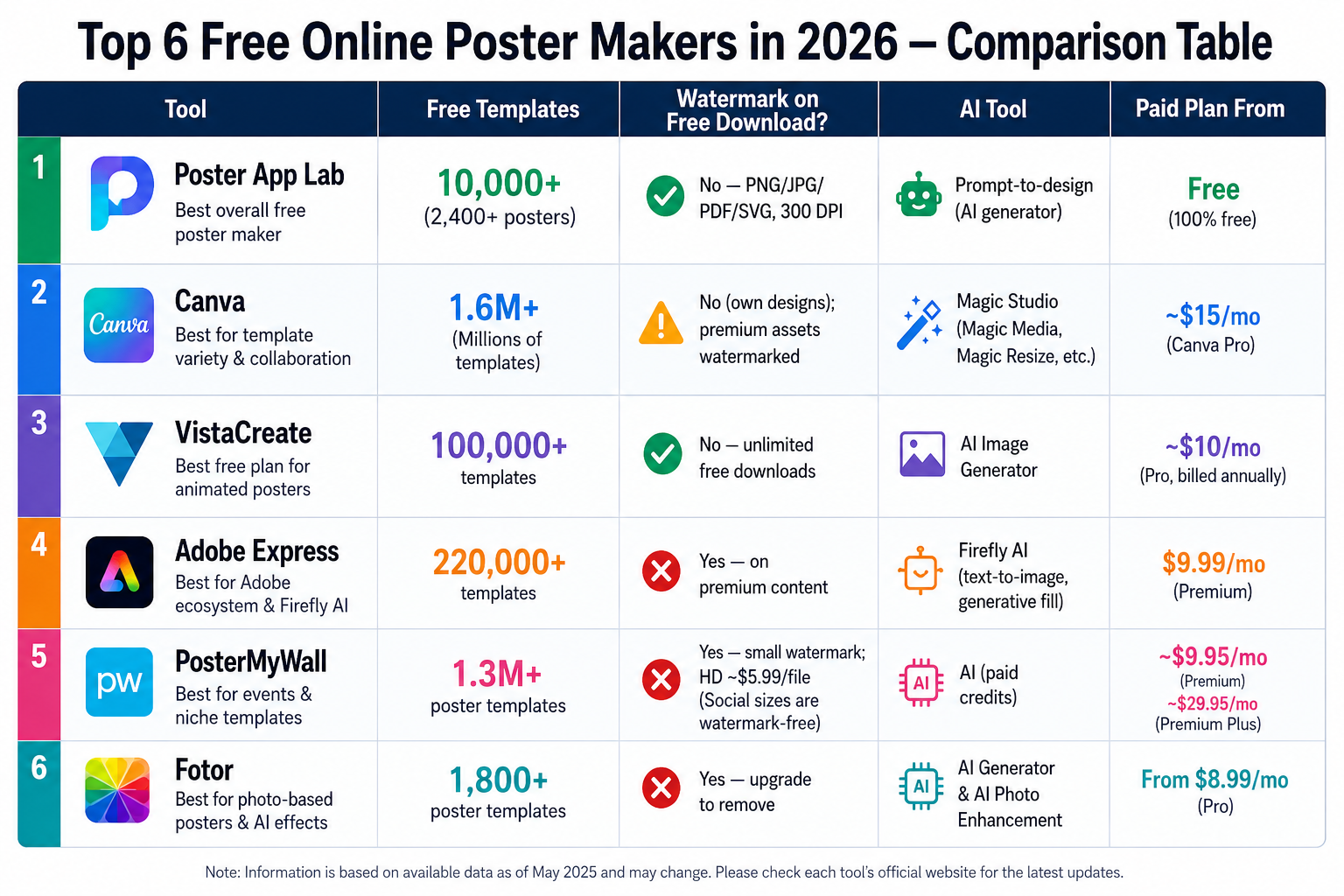
In case you want an online poster maker free of any catch at download, this table shows where each tool draws the line:
Which Free Poster Makers Are Truly Watermark-Free?
For zero-watermark results, Poster App Lab, VistaCreate, and Canva (on your own designs) are the safest picks. A poster maker without a watermark is the difference between a poster you can use and a free preview you can't.
Adobe Express and Fotor watermark free exports of premium content, and PosterMyWall adds a small watermark to free poster downloads plus a ~$5.99 fee per high-resolution file. If a clean, print-ready file at no cost is the goal, choose a tool whose free tier includes the download, not just the design.
Can AI Create Posters Automatically?
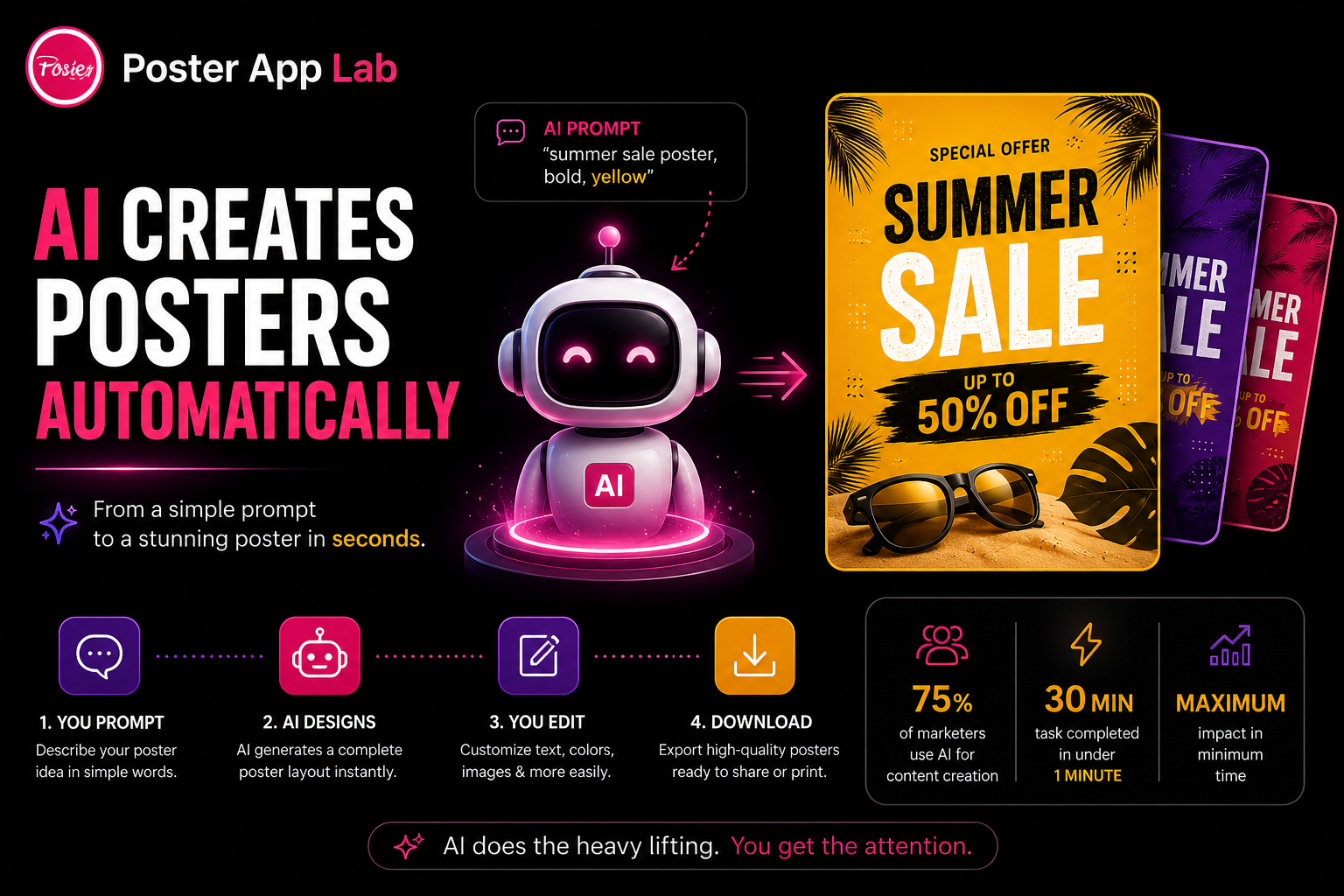
AI now builds entire poster layouts from a text prompt and removes the slowest steps — backgrounds, resizing, and copywriting. Nearly 75% of marketers report using AI for media creation, and image and design editors rank among the most-used AI tools, per HubSpot's State of Marketing 2026 report.
An AI graphic design tool generator turns a prompt such as "summer sale poster, bold, yellow" into an editable design in seconds; Canva's Magic Media, Adobe's Firefly, Poster App Lab’s mobile application, and VistaCreate's AI Image Generator do text-to-image too. The practical win isn't novelty, it's cutting a 30-minute task to under a minute.
Conclusion
The best free poster maker online in 2026 comes down to one question: is the finished file actually free? Poster App Lab, VistaCreate, and Canva let you export clean, while Adobe Express, PosterMyWall, and Fotor gate watermark-free or high-resolution downloads in some way. For free, print-ready, no-watermark posters with AI built in and nothing to pay for, design your next poster with Poster App Lab: pick a template, customize it, and export in minutes.
👉 Start designing free on Poster App Lab — 10,000+ templates, AI-powered editor, no watermark.
FAQs
What Is the Best Free Poster Maker Online in 2026?
The best free poster maker depends on your specific needs. Poster App Lab is an ideal pick for AI-powered, watermark-free designs, whereas Canva excels in templates and collaboration; and VistaCreate offers an entirely free plan for attractive animated posters.
Which Free Poster Maker Does Not Add a Watermark?
Poster App Lab and VistaCreate an offer for watermark-free downloads on their free plans. Canva also allows watermark-free exports when using free elements.
Can AI Create a Professional Poster Automatically?
Yes. AI poster makers can generate layouts, images, and headlines as well as design suggestions. All you need to do is just enter a simple text prompt.
Is Canva Better Than Other Free Poster Makers?
Indeed, Canva is one of the most renowned poster makers. It is because of its wide template library and collaboration tools. But other platforms may offer better AI features or fewer download restrictions.
How Do I Make a Poster Online for Free?
Pick a template, add and customize the text and visuals, and adjust colors and fonts. Then simply download the final design. Most dependable poster makers work directly in your browser. They don't require any install.
What Features Should a Good Poster Maker Include?
Look for customizable templates, drag-and-drop editing, AI tools, high-resolution exports, watermark-free downloads, and print-ready PDF support.
What Is the Best AI Poster Generator?
The most trusted and popular AI poster generators are Poster App Lab, Canva Magic Design, Adobe Firefly, and VistaCreate AI.
Can I Design a Poster on My Phone?
Yes. Most poster makers offer Android and iPhone apps. They allow you to create, edit, and download posters directly from your mobile phone.
Which Poster Maker Is Best for Printing?
The best online poster design tool for printing supports high-resolution exports as well as print-ready PDFs. A 300 DPI export is generally recommended for pro-quality prints.
Are Free Poster Makers Suitable for Businesses?
Yes. Marketing teams of many businesses use free poster makers for promotions, events, product launches, and social media campaigns. Their work becomes easy with free professional templates and branding options.
What Is the Difference Between a Poster Maker and a Graphic Design Tool?
A poster maker focuses on creating posters quickly with pre-ready templates. On the other hand, a graphic design tool supports an extensive range of projects, including logos, presentations, ads, and social media graphics.
Which Free Poster Maker Is Best for Students?
Students often prefer tools that offer free templates, easy editing, and watermark-free downloads. These features make it easier to create posters for school and university events, academic presentations, and projects.