10 Best Free Poster Maker Apps in 2027
It is no longer necessary to hire a full-time designer or use expensive design tools to create advertising posters. Businesses may create campaign visuals in just minutes using. Yes, it is possible with AI generation, pre-made templates, web tools, and mobile editing. However, selecting a free poster maker app that offers practical functionality without excessive limitations is difficult. Here we are going to discuss the best 10 poster maker apps that can help you with great output.
What Qualities Should a Free Poster Maker App Have?
A decent poster maker should provide templates, simple editing, practical export choices, and sufficient free features for actual tasks. Additionally, AI can shorten the time required to produce a preliminary design.
The U.S. Bureau of Labor Statistics reports that graphic designers held about 253,100 jobs in 2025, while AI-enabled design tools are expected to improve productivity. This makes lightweight design software increasingly useful for businesses handling routine promotional graphics internally.
Before choosing a free poster maker app, check:
- Free templates and design elements
- AI-generated designs or images
- Android, iPhone, and web access
- PNG, JPG, or PDF export
- Custom dimensions and social formats
- Background removal and image editing
- Brand colors, fonts, and logos
- Watermarks and free-plan limits
- Commercial-use permissions
- Print resolution and sizing
For example, poster tools can support formats such as 18 × 24 inches, A1, A2, A3, A4, or digital 1080 × 1920 designs. The right size depends on whether the poster is going to a print shop, website, social platform, or mobile screen.
How Are Free Poster Maker Apps Useful for Businesses?
Free design tools are particularly useful for e-commerce, local businesses, events, and social media campaigns because one visual can be adapted for several channels. The U.S. Census Bureau reported $340.2 billion in U.S. retail e-commerce sales in Q2 2026, representing 17.1% of total retail sales.
For an online retailer, that means promotional graphics can support product launches, discounts, seasonal campaigns, and social advertising. A free online poster maker can also reduce the turnaround time for routine marketing assets.
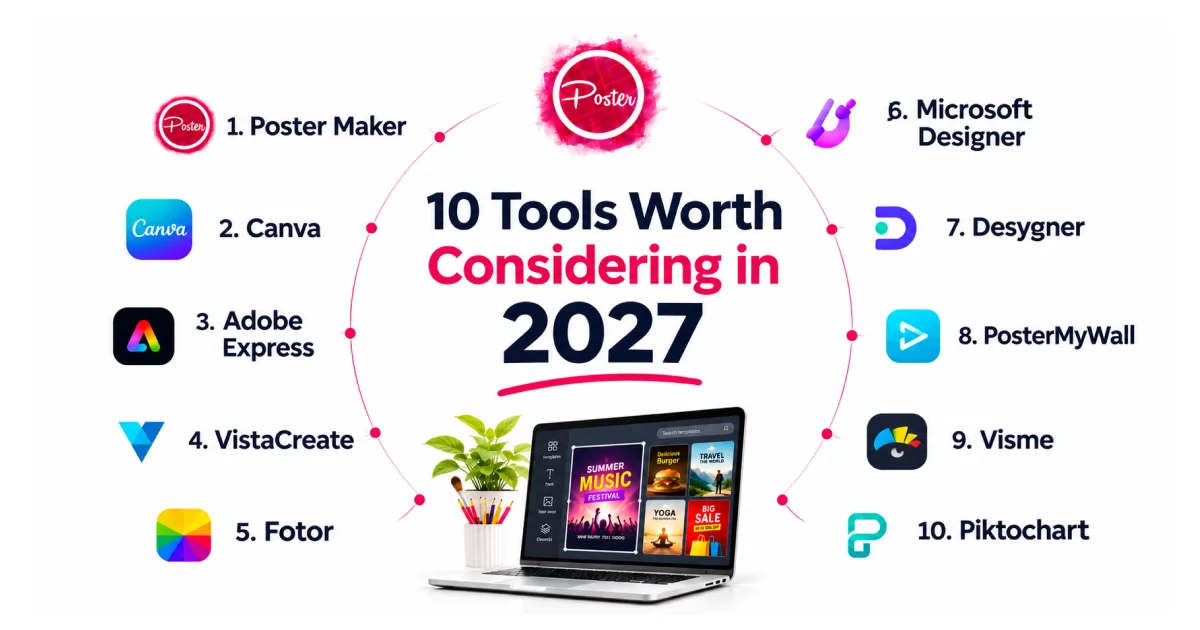
Here are 10 tools worth considering in 2027.
| Tool | Best For | AI Capabilities | Access |
|---|---|---|---|
| Poster Maker | Business promotions | AI-assisted creation | Web |
| Canva | General design | Canva AI | Web, mobile |
| Adobe Express | Adobe users | Generative AI | Web, mobile |
| VistaCreate | Social content | AI design tools | Web, mobile |
| Fotor | AI posters | AI poster generation | Web, mobile |
| Microsoft Designer | AI-first design | Generative AI | Web, mobile |
| Desygner | Business branding | AI poster creation | Web, mobile |
| PosterMyWall | Events and promotions | AI design tools | Web, mobile |
| Visme | Business visuals | AI-assisted design | Web |
| Piktochart | Informational posters | Piktochart AI | Web |
1. Poster Maker
Overview: Poster Maker is a practical option for creating promotional and marketing visuals without traditional graphic-design software. It can be considered when the priority is quick poster creation for businesses, campaigns, social media, offers, and events. Its positioning makes it relevant for users specifically searching for a free poster maker app rather than a broad visual-design suite.
Key AI capabilities: AI-assisted poster creation, creative generation, image editing, promotional designs, and reusable visual concepts.
2. Canva
Overview: Canva is a broad visual-design platform covering posters, flyers, presentations, social posts, videos, and other marketing assets. Its AI tools can generate designs from prompts, including posters and flyers. Canva also supports editing and downloading generated designs in formats such as PNG, JPG, PDF, and SVG.
Key AI capabilities: Canva AI, Magic Design, prompt-based design generation, image generation, and design customization.
3. Adobe Express
Overview: Adobe Express combines poster templates, Adobe Stock assets, image editing, branding tools, and AI features. Adobe says users can start creating posters for free on desktop or mobile, use thousands of templates, and download designs as PDF, JPG, or PNG.
Key AI capabilities: Text-to-image generation, template generation, text effects, and object insertion or removal.
4. VistaCreate
Overview: VistaCreate is designed for social, promotional, and print graphics. Its free starter plan includes templates, creative assets, brand tools, and downloads, while its Pro offering adds additional AI capabilities. Users can also create posters from their own images and send supported print formats to VistaPrint.
Key AI capabilities: AI template generation, Design Assistant, image generation, AI writing, background removal, and object removal.
5. Fotor
Overview: Fotor focuses heavily on AI-powered image and poster creation. Its AI poster generator can use an uploaded product image or other visual, then apply a selected style, poster type, aspect ratio, slogan, and composition. Fotor states that new users receive limited AI-generation credits.
Key AI capabilities: AI poster generation, AI photo editing, background editing, composition, typography, and image-to-poster creation.
6. Microsoft Designer
Overview: Microsoft Designer is an AI-powered cloud design application for creating graphics from ideas or uploaded images. Microsoft describes Designer as supporting generated layouts, images, messages, and design recommendations without requiring prior design experience.
Key AI capabilities: Generative layouts, AI-generated images, personalized designs, design recommendations, and visual effects.
7. Desygner
Overview: Desygner provides poster templates for events, concerts, movies, marketing, and promotions. Its poster platform supports sizes including A1, A2, A3, A4, U.S. 18 × 24 inches, and 24 × 36 inches, with 300 DPI output promoted for professional printing.
Key AI capabilities: AI poster creation, prompt-based design, brand assets, Smart Resize, and print-focused design workflows.
8. PosterMyWall
Overview: PosterMyWall is built around posters, flyers, social graphics, and promotional content. Its current free basic plan supports standard downloads without a watermark, while its premium AI features provide additional prompt-based creation and editing.
Key AI capabilities: AI design creation, AI images, background removal, AI video, AI subtitles, and AI voice.
9. Visme
Overview: Visme is aimed strongly at business communication and visual content. Its poster maker offers templates, stock assets, branding tools, drag-and-drop editing, and PDF export. Visme says poster creation and image downloads are available for free, while high-resolution PDF features require an upgraded plan.
Key AI capabilities: AI-assisted visual creation and content-generation features.
10. Piktochart
Overview: Piktochart is useful when a poster needs to communicate information clearly. Its poster format supports event, promotional, scientific, conference, quote, and fact-based designs. The standard poster format is 800 × 1200 pixels, while custom dimensions are also supported.
Key AI capabilities: Pikto AI can generate posters, flyers, presentations, reports, infographics, and social media visuals from an idea.
What Is the Best Free Poster Maker App in 2027?
The best choice depends on the design task, but Poster Maker is worth considering when you need a straightforward free poster maker app for promotional, business, social media, or event content.
Choose Canva for broad design needs, Adobe Express for Adobe workflows, Fotor for AI-generated posters, VistaCreate for social content, and Piktochart for information-heavy visuals. For business campaigns, compare export quality, brand controls, commercial-use terms, and free-plan limits before choosing.
A business poster maker app should also make it easy to create different sizes for websites, social media, print, and mobile campaigns.
How Do You Choose a Free Poster Maker App?
Start with the final use case. A social post may need a 1:1 or 4:5 canvas, while a mobile story commonly uses 9:16, and a printed poster may require a specific physical size.
For e-commerce, prioritize product-image editing, promotional text, brand assets, and fast resizing. For events and festivals, look for templates, custom typography, high-resolution downloads, and easy mobile editing.
If you specifically need a poster maker app for Android or a poster maker app for iPhone, confirm that the tool has a dedicated mobile experience rather than assuming its web editor works equally well on phones.
For AI workflows, an AI poster maker app can reduce the first-design stage from hours to minutes. However, always proofread AI-generated text and check licensing before commercial use.
For seasonal campaigns, a festival poster maker app should offer editable templates and quick changes for dates, offers, locations, and branding.
A free poster design app is most useful when its free features cover your actual workflow. Check the export format, resolution, watermark policy, template access, and AI limits before committing time to a design.
Conclusion
The best tools in this list range from broad design platforms such as Canva and Adobe Express to specialized AI and poster-focused options such as Fotor, PosterMyWall, and Poster Maker. Your choice should depend on the required format, platform, AI features, export quality, and free-plan restrictions.
iApp Technologies develops AI, mobile, web, and custom software solutions for businesses that need more than off-the-shelf tools. If your business needs a custom poster and flyer maker app, automated design workflow, or AI-powered creative platform, our team can help define the product scope, technology stack, and development roadmap.
FAQs
Is there a completely free poster maker app?
Some tools offer free plans, but templates, AI credits, premium assets, and high-resolution exports may have restrictions.
What is the best free poster maker app for Android?
A good option should offer mobile editing, templates, image tools, and reliable downloads. Check current Android availability before choosing.
What is the best poster maker app for the iPhone?
Look for an iPhone-compatible editor with templates, custom sizing, image editing, and convenient PNG or PDF export.
Can I make a professional poster without design skills?
Yes. Templates, drag-and-drop editors, automated layouts, and AI tools let beginners create polished posters without advanced design training.
Which free poster maker app can create business advertisements?
Tools such as Poster Maker, Canva, Adobe Express, and Fotor can support promotional graphics, depending on their current free-plan features.
Can I make festival posters for free online?
Yes. A festival poster maker app can provide editable templates for holidays, events, offers, dates, locations, and promotional messages.
Can I create posters with AI for free?
Yes. Several platforms offer AI poster creation with free access or limited credits, but advanced generations may require a paid plan.
Can I download a poster without a watermark?
Some platforms allow watermark-free downloads on free plans, while others restrict them. Check the current export terms before publishing commercially.